
Insert and run a RunMacro package (.qmacro)
Insert RunMacro package calls and runs a packaged .qmacro workflow as a sub-macro.
Prerequisites#
- Add Insert RunMacro package to the macro.
- Prepare the data or target that the package will use.
Supported modes#
- RunMacro Runner
What it does#
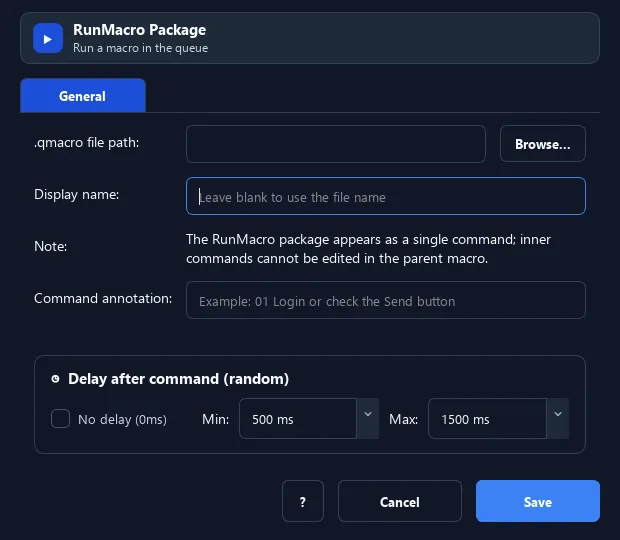
The Insert RunMacro package command calls and runs a packaged .qmacro workflow as a sub-macro. Like Insert .pmacro, it supports reuse while keeping the package easy to share.
Screenshots & video#
When to use it#
- Run a shared/packaged .qmacro workflow.
- Reuse a packaged process inside a larger script.
- Combine several .qmacro workflows into one process.
When not to use it#
- Do not run a RunMacro package from an untrusted source or when the child source must remain directly editable.
Configuration steps#
- Add a Flow › Insert RunMacro package command.
- Choose the path to the
.qmacropackage. - (Optional) set a display name for clarity. Save.
Every option explained#
Expected result#
After execution, Insert RunMacro package completes the child workflow and continues to the next step.
Real example#
Example: run a packaged workflow#
- Insert a RunMacro package pointing to
process_orders.qmacro. - Set display name "Process orders".
- On run, the whole packaged workflow executes.
Limitations and failure cases#
- Packaging does not remove environment dependencies; invalid format, metadata, or embedded resources cause execution to fail.
Tips & common mistakes#
The .qmacro format is handy for sharing workflows others can run with RunMacro Runner.
Verification details#
commands/control_flow.py