RunMacro
RunMacro Documentation
Create your first robot, then go further as needed.
Clear step-by-step guides to create, run, and improve robots for repetitive computer work.
Halt Workflow Execution Immediately (Stop Macro) in RunMacro
Stop Command immediately and safely halts macro execution in RunMacro, freeing system hooks and finalizing execution status.
Prerequisites#
- Inserted at the desired termination point in the workflow sequence.
Supported modes#
- Desktop Mode — Terminates desktop workflows and releases global input hooks.
- Browser Mode — Safely halts browser CDP execution streams.
- RunMacro Runner — Updates status to Stopped inside RunMacro Runner.
What it does#
The Stop Macro command immediately flags execution termination (setting stop_requested = True in the execution context). The runner halts all subsequent commands, cancels active wait states, safely detaches Win32 and CDP handles, and records a finished status in the execution log. Use it to complete successful workflows or provide emergency exit hatches when fatal errors are detected.
Screenshots & video#
When to use it#
- Placed at the end of primary workflows to definitively conclude execution and close tasks.
- Positioned within error handling branches when invalid data or missing files are detected.
- Breaking out of continuous loops once a desired termination criterion is met.
- Immediately halting automation if an account lockout or security alert is encountered.
When not to use it#
- Pausing temporarily for user confirmation (use Pause or Wait Hotkey instead).
- Pausing a few seconds for buffering (use Delay or Smart Wait).
Configuration steps#
- In RunMacro, open the Flow › Stop Macro command from the left palette.
- Click to insert the Stop command at your desired position in the workflow list.
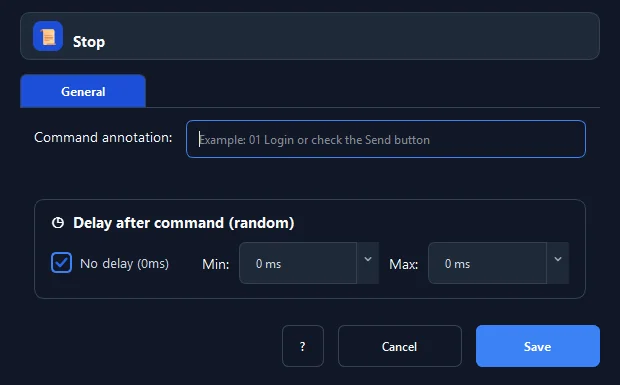
- The Stop command requires no complex parameters; it halts execution immediately when encountered.
- Click Save to confirm.
Every option explained#
Expected result#
The macro halts instantly and returns to idle ready state for subsequent runs.
Real example#
Example: Stop macro immediately if Excel input file is missing#
- Use an If File Exists command to verify
Data.xlsx. - In the missing-file branch, display a Show Message dialog: 'Missing data file!'.
- Immediately insert a Stop Macro command to terminate safely without triggering downstream failures.
Limitations and failure cases#
- Terminates current macro context; nested parent workflows should evaluate child exit status.
Tips & common mistakes#
Verification details#
commands/control_flow.py· verified 2026-09-30