
Go back in background Chrome (CDP)
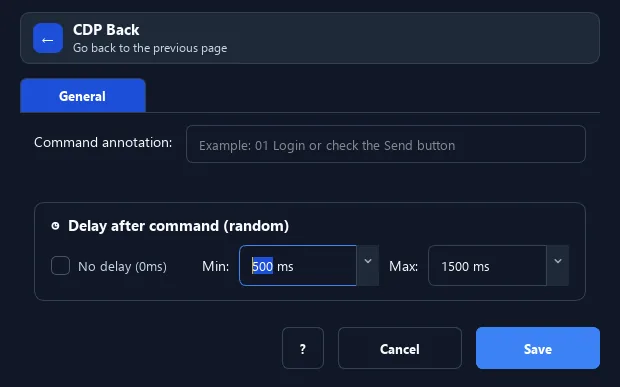
The Back command sends the background Chrome tab to the previous page in history — like pressing the browser Back button.
Prerequisites#
- Add Back to the macro.
- Prepare the data or target that Back will use.
Supported modes#
- Browser Mode
What it does#
The Back command sends the background Chrome tab to the previous page in history — like pressing the browser Back button.
Screenshots & video#
When to use it#
- After opening a detail page, go back to the list.
- Undo a navigation step and return to the prior page.
- Move back and forth between two pages.
When not to use it#
- Do not use Back when tab history is unknown or an SPA manages navigation differently.
Configuration steps#
- In Browser Mode (CDP), add the Browser › Back command.
- Add a Delay afterwards if the page needs time to load.
- Save.
Expected result#
After execution, Back completes the described action and makes its result available to the next step.
Real example#
Example: browse a list#
- Open a detail item.
- Extract data.
- Go Back to pick the next item.
Limitations and failure cases#
- With no history the page may not change; redirects/SPAs can land elsewhere and readiness needs checking.
Tips & common mistakes#
If there is no previous page in history, the command simply has no effect.
Verification details#
commands/browser.py