
Reload the page in background Chrome (CDP)
The Reload command refreshes the active background Chrome tab (like pressing F5).
Prerequisites#
- Add Reload to the macro.
- Prepare the data or target that Reload will use.
Supported modes#
- Browser Mode
What it does#
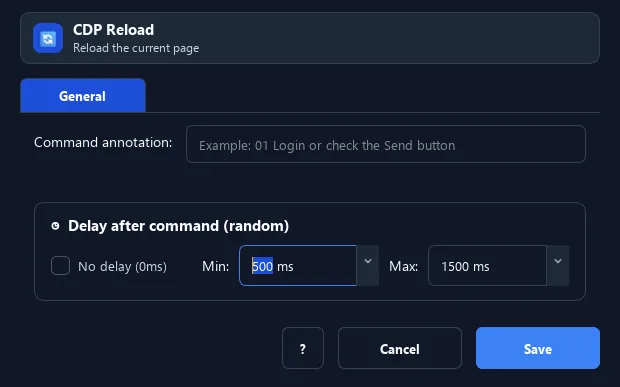
The Reload command refreshes the active background Chrome tab (like pressing F5). You can enable ignore cache to force a full reload from the server.
Screenshots & video#
When to use it#
- The page is stuck/temporarily broken and needs a reload before retrying.
- Wait for new content to appear after a refresh.
- Force the freshest data (ignore cache).
When not to use it#
- Do not reload with unsaved forms, active transactions, or client state that must persist.
Configuration steps#
- In Browser Mode (CDP), add the Browser › Reload command.
- Optionally enable Ignore cache.
- Add a Delay afterwards so the page finishes loading. Save.
Every option explained#
Expected result#
After execution, Reload completes the described action and makes its result available to the next step.
Real example#
Example: wait for reloaded content#
- Reload (ignore cache).
- Delay 2000ms.
- Smart HTML › IF element exists to check.
Limitations and failure cases#
- Reload does not guarantee network/cache success or readiness; wait/check afterward.
Tips & common mistakes#
Always add a Delay or Smart HTML › Wait for element after Reload to be sure the page is ready.
Verification details#
commands/browser.py