
Download random avatars from the Internet in RunMacro
The Download Random Avatar command fetches one or more random profile images from online image services into a folder you choose.
Prerequisites#
- Add Download Random Avatar to the macro.
- Prepare the data or target that Download Random Avatar will use.
Supported modes#
- RunMacro Runner
What it does#
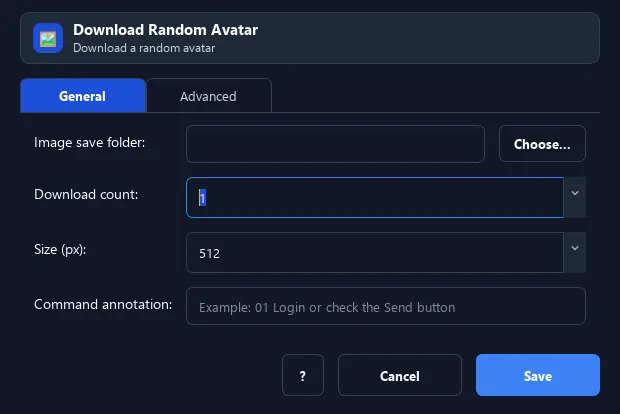
The Download Random Avatar command fetches one or more random profile images from online image services into a folder you choose. Useful when sign-ups need an avatar.
Screenshots & video#
When to use it#
- Prepare avatars for many accounts.
- Pre-download a pool of random images.
- Create test data with images.
When not to use it#
- Do not use a random downloaded image as verified identity or when source usage is not authorized.
Configuration steps#
- Add a Network › Download Random Avatar command.
- Choose the output folder, set the count and size.
- (Optional) edit the source URL list. Save.
Every option explained#
Expected result#
After execution, Download Random Avatar completes the described action and makes its result available to the next step.
Real example#
Example: download 10 avatars at 512px#
- Download Random Avatar, folder
C:\Avatars, count 10, size 512. - Then use an image per account during sign-up.
Limitations and failure cases#
- The remote source can fail, change format, or return a non-image file; the destination needs write permission.
Tips & common mistakes#
Sources are free online services — quality/format may vary between them.
Verification details#
commands/network.py